



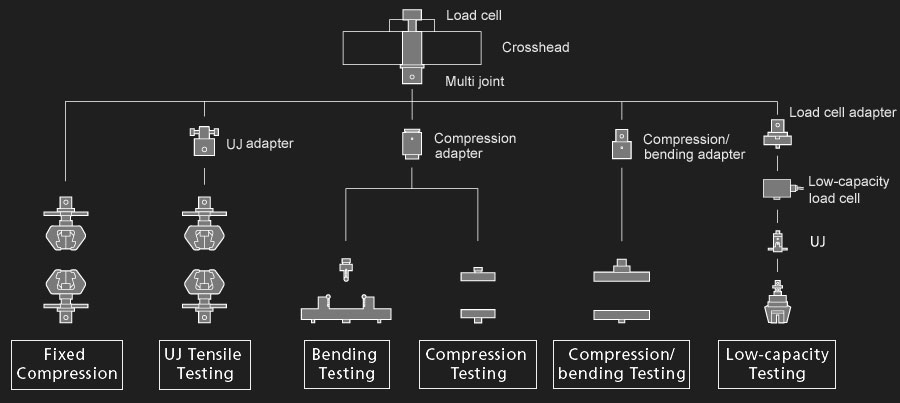
All equipment has a simple and convenient connection mechanism to the machine, which reduces test preparation time. With the help of a universal connecting element, you can quickly and easily install tensile, compression, and bending load cells, as well as additional load cells of a lower rating, without dismantling the main gauge.
I. Universal connecting element
II. Remote touch control panel
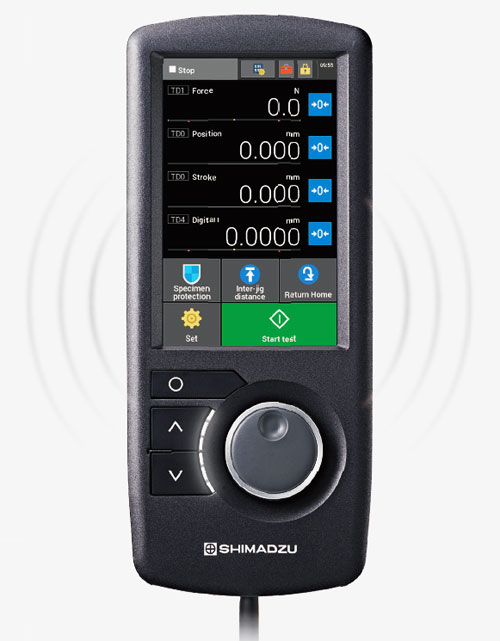
The test machine is equipped with a remote touchscreen control panel. The remote control with touchscreen display allows you to perform all basic operations. The display shows the system status, the current and adjusted gripper spacing, and the test results in real time. The data on the control panel is fully synchronized with the data in the software.
- Setting up a sound signal. You can adjust the sound signals of the test machine: a nice and quiet signal in a quiet room or a signal that will be heard even in noisy conditions. The sound can be turned off completely.
- Voice notification. Before the traverse starts to move, the machine gives a voice warning to prevent operator error. The sound can be completely muted.
- Set parameters and perform tests using the remote control.
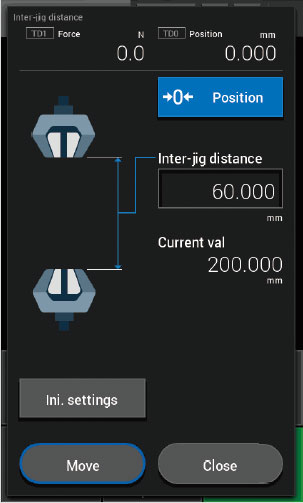
Automatic adjustment of the required gripper spacing.
Thanks to the intelligent traverse control system, the user can set the desired distance between the tines. The machine will automatically take up this position when the corresponding command is given. In addition, the system constantly monitors the distance between the grippers to prevent them from colliding (the grippers must be entered in the machine database).
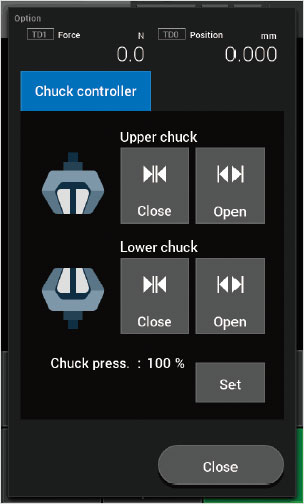
Control the fixation of the sample in the grippers using the remote control.
The pneumatic and hydraulic grippers can now be opened and closed using the control panel. This means that all the necessary actions, including crosshead movement, specimen fixation, setup, and test start and stop, can be performed without the need for a PC.
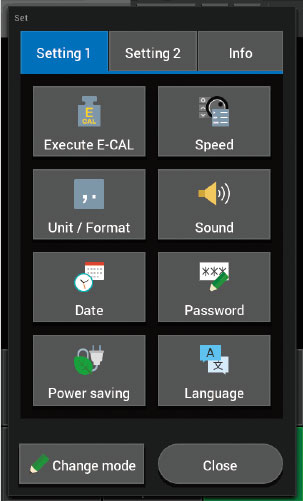
Check the settings.
The remote touchscreen control panel allows you to check the test conditions, set up audible alarms, energy saving options, and set the system language. Pop-up windows that verify operations before moving the traverse reduce the risk of operational errors.